
Restaurant
PROAn Italian bistro site built to fill tables, not just to look good.
About This Starter Site
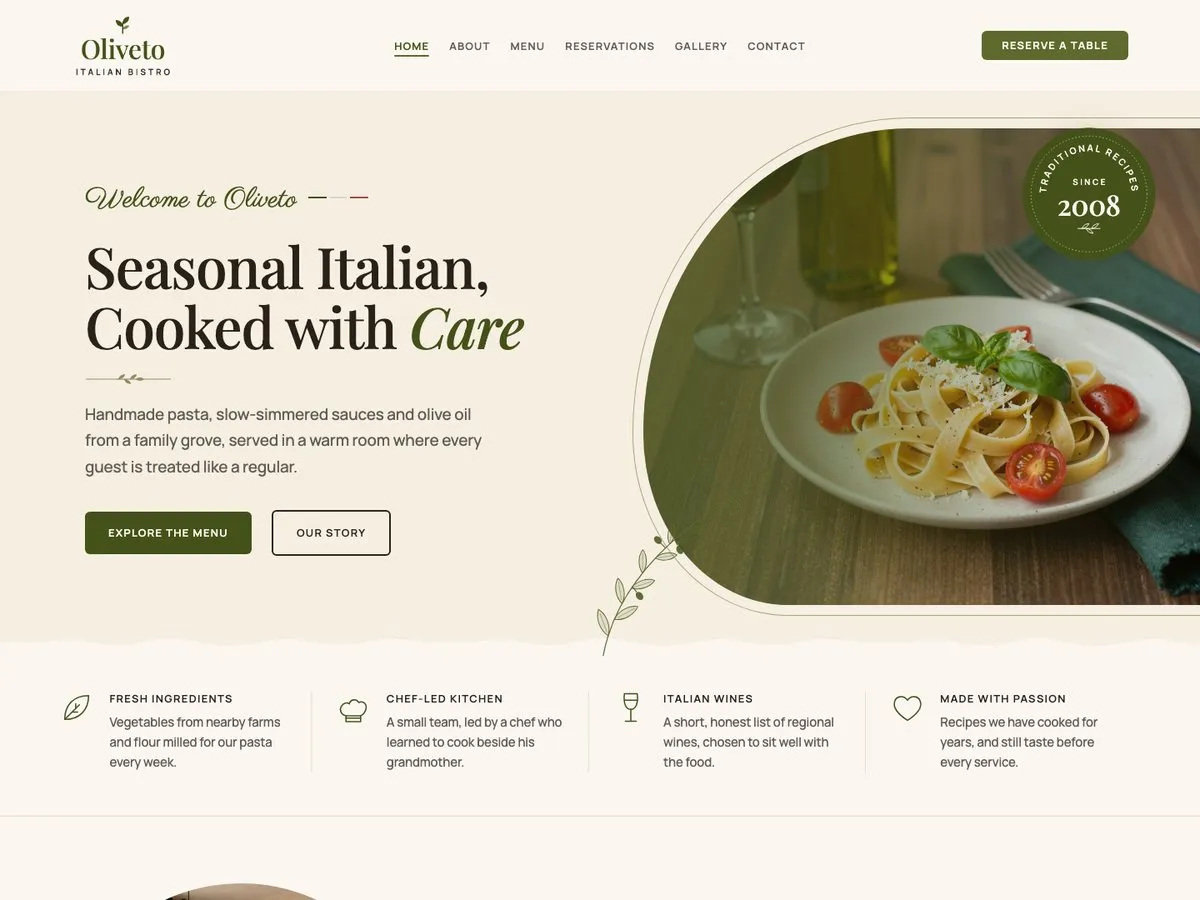
Restaurant is a six page site for a bistro: a home page with a rotating photo hero and four chef's specials, an about page telling the kitchen's story, a twenty dish menu across five categories with prices, a reservations page with its own booking form next to the opening hours, a photo gallery, and a contact page. Every reservation button on the site leads to that one form, so there is never a booking engine or a network call to configure. It uses the same base theme as every other starter site, so nothing here is a separate product to maintain. What changes is the palette, the patterns, and the content. The photographs, the two staff portraits included, are AI-generated samples: replace them with your own.
Every Page
Screenshots of the Restaurant starter site as it imports. Open one to scroll the whole page.
What's Inside
- Home, with a rotating hero and four chef's specials
- About
- Menu, twenty dishes across five categories with prices
- Reservations, with a booking form
- Gallery
- Contact
FAQ
How does the reservation form work?
If Contact Form 7 is active when you import Restaurant, the importer creates the reservation form for you, with fields for date, time, party size, name, phone, email and notes. It is an ordinary Contact Form 7 form afterwards: edit its fields and its text like any other. Import again later, once Contact Form 7 is active, and it creates the form then.
Can I change the menu and its prices?
Yes. The twenty dishes, in five categories, are ordinary WordPress blocks, not a database of dishes. Open the Menu page in the block editor and edit names, descriptions and prices exactly like text anywhere else on the site.
Are the food photos and portraits real?
No. Every photograph, the two staff portraits included, is an AI-generated sample meant to show the layout. Replace them with photographs of your own dishes, dining room and team before you publish.
What does this starter site need to import?
Restaurant is a Pro starter site: the Pro plugin, with an active license, is what imports it and runs its reservation form. It is not available in the free plugin.
Pro
One plan, four seat counts. Annual, renews automatically.
€49 / year + VAT
No free trial. Refund within 14 days if Pro does not work on your site (terms).
- The free theme and Companion plugin
- Every Pro starter site
- New starter sites as they ship
- Updates and support for a year
Pro runs on the free InTouchDesign theme. Download the theme (version 1.3.0, zip, 1.2 MB).