
Real Estate
PROAn estate agency site where visitors can search, filter and browse every listing.
About This Starter Site
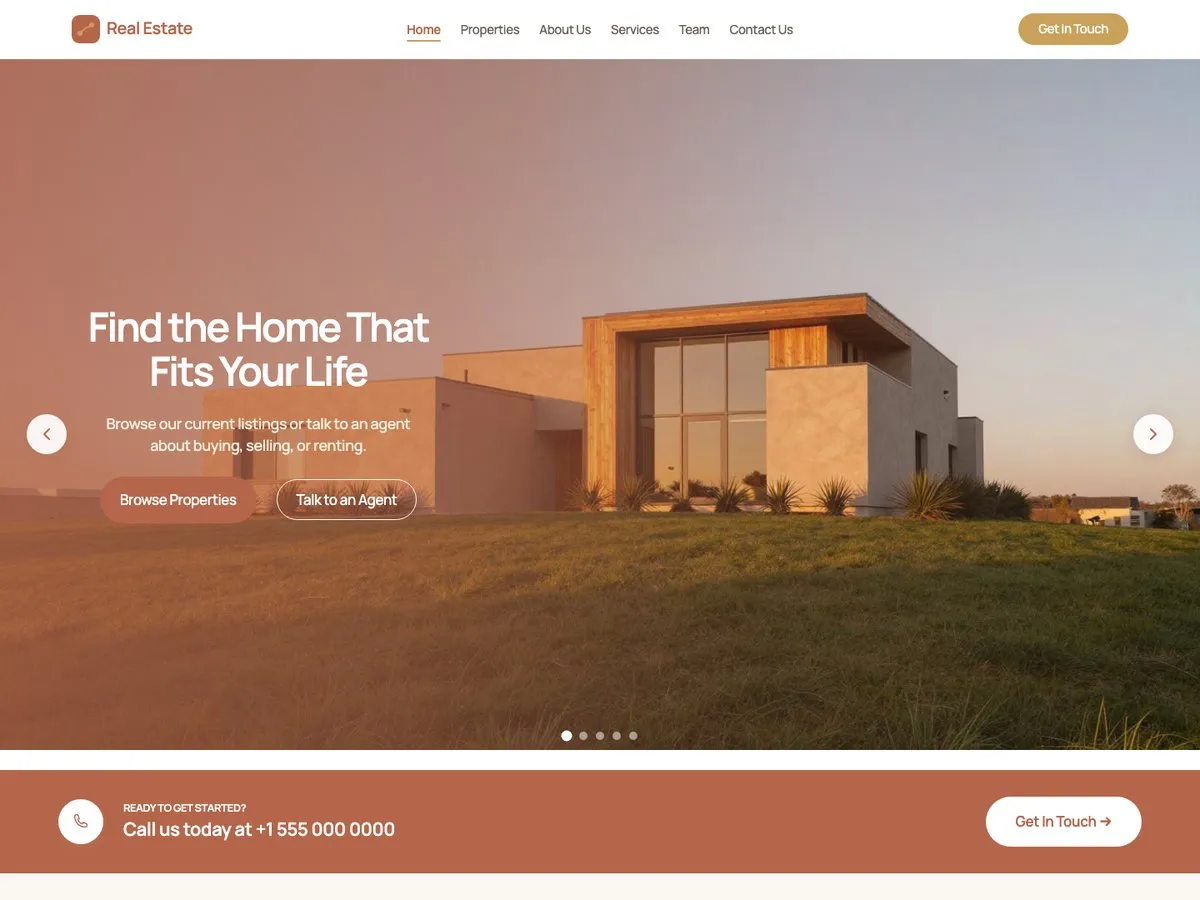
Real Estate is a site for an agency that buys, sells and lets property. It carries five pages (a home page that leads with featured listings, an about page, a services page covering sales, rentals, valuations, mortgages, management and investment, a team page, and a contact page) plus twelve sample listings. Each listing has its own photo gallery with a lightbox, and visitors can filter the full list to narrow it down. The listings run on the property module of the Pro plugin, which gives them their fields, their filters and their galleries. The agent portraits are AI-generated samples, there to show the layout: replace them with photographs of your own team.
Every Page
Screenshots of the Real Estate starter site as it imports. Open one to scroll the whole page.
What's Inside
- Home, with featured listings
- About
- Services
- Team
- Contact
- Twelve sample listings with filters, galleries and a lightbox
FAQ
What do the property listings need?
The listings run on the property module of the Pro plugin. That module is what gives each listing its fields, its photo gallery and its place in the filters.
Are the people in the photos real?
No. The agent portraits are AI-generated samples, included to show how the team page is laid out. Replace them with photographs of your own agents before you publish.
Pro
One plan, four seat counts. Annual, renews automatically.
€49 / year + VAT
No free trial. Refund within 14 days if Pro does not work on your site (terms).
- The free theme and Companion plugin
- Every Pro starter site
- New starter sites as they ship
- Updates and support for a year
Pro runs on the free InTouchDesign theme. Download the theme (version 1.3.0, zip, 1.2 MB).