
Homeware
PROA calm online shop for homeware, with a cart and checkout that look like the rest of the site.
About This Starter Site
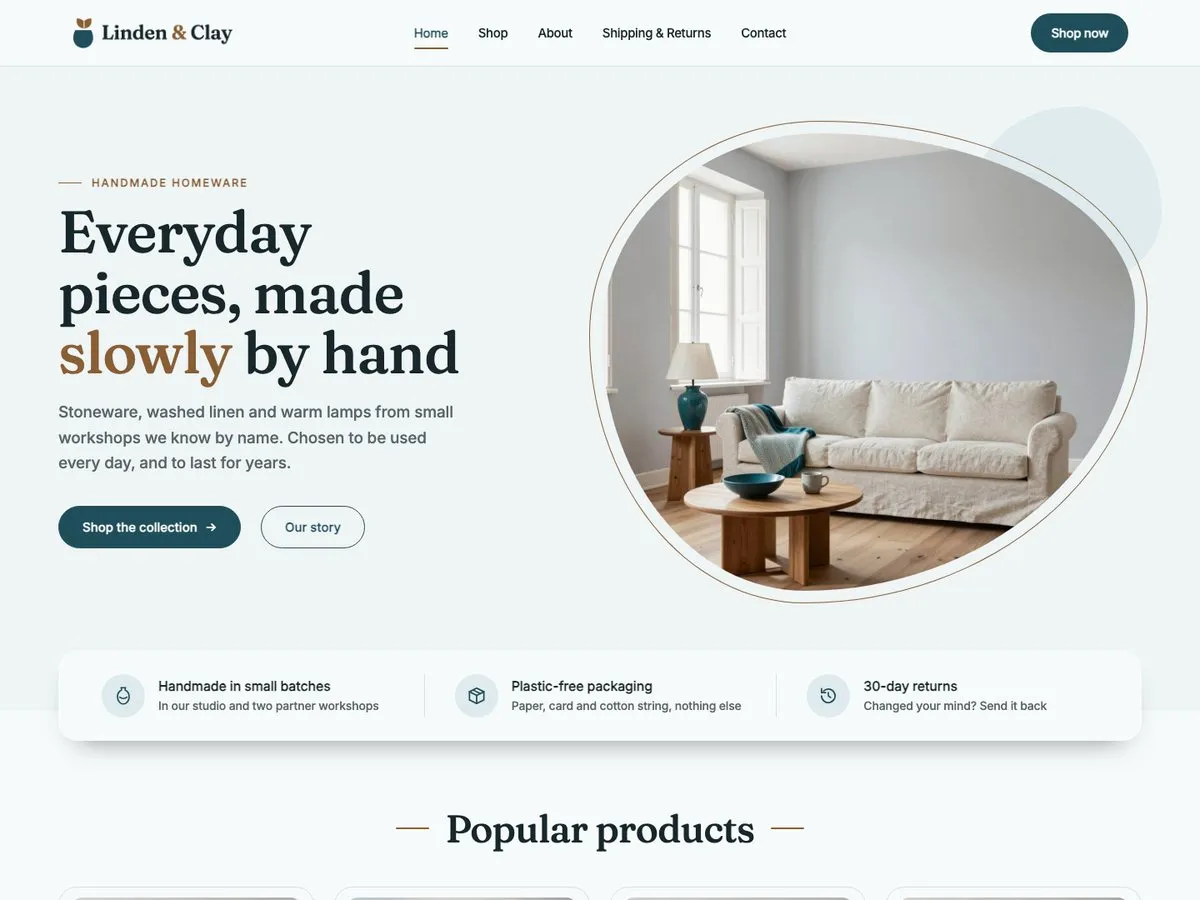
Homeware is an online shop for a small business that sells homeware and handmade goods, shown here as Linden & Clay, a made-up studio shop in Bologna. It runs on WooCommerce and carries eight pages: a home page with a photo slider, three promises, popular products, three collections, a workshop story and a sale shelf; the shop; an about page; Shipping & Returns, with its costs and its questions; a contact page with a form and opening hours; and WooCommerce's cart, checkout and account pages. Twelve sample products fill the shop in three collections (Tableware, Textiles and Lighting), with prices, four sale prices and one sold-out piece. Each product page has a photo gallery, a short description, materials, size and care, and related products. The product pages, the cart and the checkout are styled to match the theme, and on phones a bar at the bottom of the screen can keep Home, Search, Cart and Contact one tap away. It uses the same base theme as every other starter site, so nothing here is a separate product to maintain. What changes is the palette, the patterns, and the content. The photographs are AI-generated samples of rooms, products and hands at work: replace them with your own.
Every Page
Screenshots of the Homeware starter site as it imports. Open one to scroll the whole page.
What's Inside
- Home, with a photo slider, three promises, popular products, collections and a sale shelf
- Shop, twelve products in three collections, with sale prices and one sold-out piece
- Product page, with a photo gallery, materials, size and care, and related products
- About, with the shop's story, three values, the studio and its two partner workshops
- Shipping & Returns, with a cost table and an FAQ
- Contact, with a form and opening hours
- Cart and Checkout, WooCommerce's own pages styled to match
FAQ
Do I need to install WooCommerce first?
Yes. Homeware is a shop, and WooCommerce, version 11.0 or newer, is the plugin that runs it. It is not part of the theme or of Companion Pro. When it is missing, not active or too old, the import review screen says so and offers a button to install, activate or update it, and nothing is imported until it is in place.
What about currency, taxes, shipping and payments?
They stay yours. The import does not set a currency, tax rates, shipping zones or payment methods: you set those up in WooCommerce as for any shop, and the sample prices show in the currency your shop uses. The live demo is set to euro, and the Shipping & Returns page carries its cost table in euro as ordinary page text, so edit that table to match your own rates and delivery times.
Are the products ready to use, and can I add my own?
The twelve sample products are ordinary WooCommerce simple products: a name, a price, an optional sale price, a stock status, a photo, a short description and, for six of them, a second photo. There are no variations to set up. Edit them under Products like any other, replace them with your own, and delete the ones you do not need. The home page shows the products you mark as featured and the ones that are on sale.
Are the photos real?
No. Every photograph is an AI-generated sample of a room, a product or hands at work, with no faces in them. Linden & Clay is a made-up business with a made-up address and phone number. Replace the photographs, the name and the contact details with your own before you publish.
Can I place an order on the live demo?
You can fill the cart and open the checkout, but orders are switched off on the demo: the Place Order button answers with a notice, and no order is created. On your own site the cart and the checkout are WooCommerce's, with the payment methods you set up.
What is the bar at the bottom of the screen on a phone?
On screens up to 781 pixels wide, the shop module of the Pro plugin can show a bar fixed at the bottom of every page, with Home, Search, Cart (with the number of items in it) and Contact. It never appears on the cart, nor on the checkout while you pay. The module keeps it off by default: Homeware lists it with the other settings you apply in the second import step, which switches it on, and from the shop panel on the Starter Sites tab you can switch it off again or choose which page the Contact item opens.
What does this starter site need to import?
Homeware is a Pro starter site: the Pro plugin, with an active license, is what imports it. It needs Companion Pro 1.3.0 or newer, theme 1.2.1 or newer, WooCommerce 11.0 or newer, WordPress 6.5 and PHP 8.0. Importing it switches on the shop module of the Pro plugin, which dresses WooCommerce's pages in the theme. It is not available in the free plugin.
Pro
One plan, four seat counts. Annual, renews automatically.
€49 / year + VAT
No free trial. Refund within 14 days if Pro does not work on your site (terms).
- The free theme and Companion plugin
- Every Pro starter site
- New starter sites as they ship
- Updates and support for a year
Pro runs on the free InTouchDesign theme. Download the theme (version 1.3.0, zip, 1.2 MB).